Case study · Developer tools
Developers switched tools 20 or more times a day just to manage work items, so I designed tracking that lives inside the IDE.
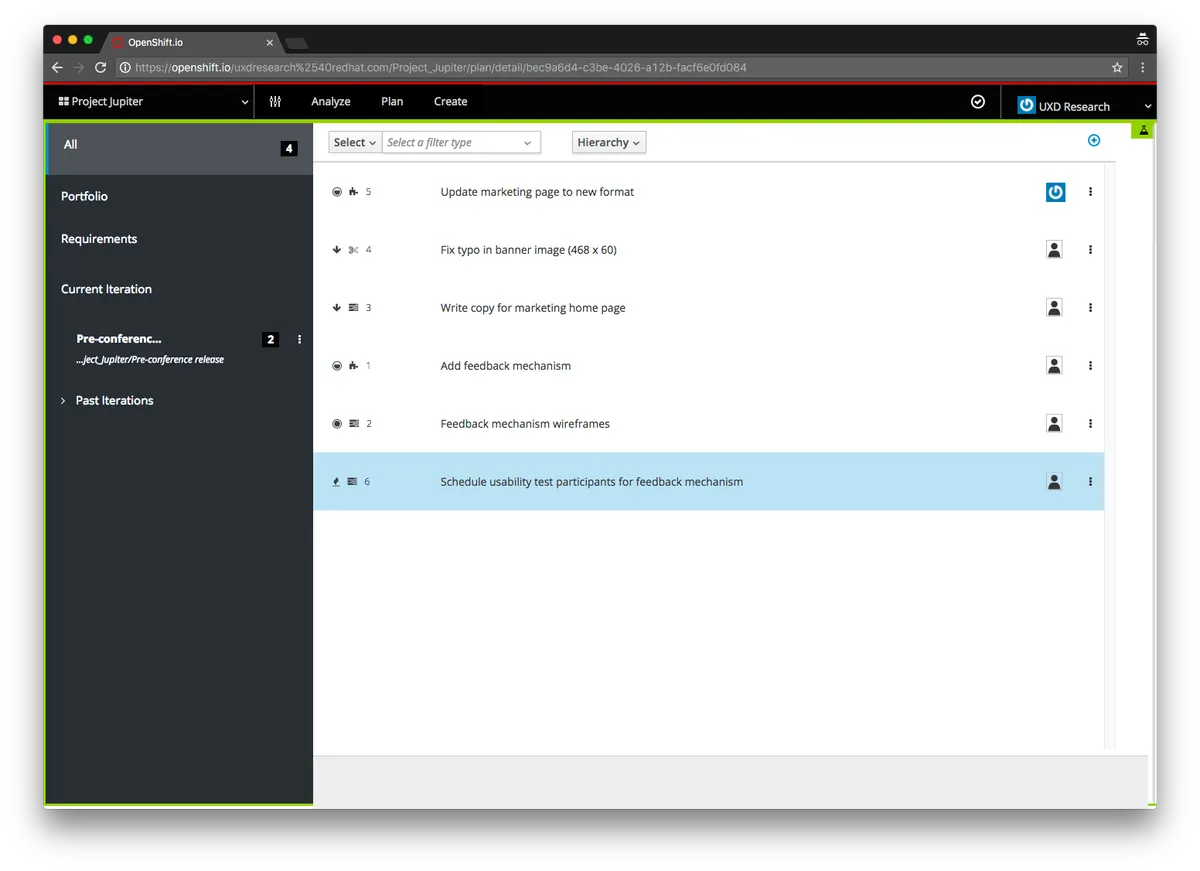
Application Lifecycle Management (ALM) brought unified work item tracking into the OpenShift.io IDE.
- Role
- Senior interaction designer, Red Hat
- Timeline
- 2017 to 2019
- Worked with
- 2 product managers, 3 engineers, 2 designers, and the PatternFly design system team
- Status
- Launched as a core feature of OpenShift.io in 2018
- 40%Reduction in average work item management time through IDE integration
- 2018Launched as a core feature of OpenShift.io
- 6 monthsTo adoption by multiple development teams
Step 1 · Context
OpenShift developers managed work across 3 or more disconnected tools, and every switch broke their focus.
Work items lived in GitHub issues, Jira, and internal tracking systems. Developers moved between their IDE, browser tabs, and project management tools, which slowed development and left project managers with visibility gaps.
- Leave the IDE to check work item status
- Manually link code commits to work items across several systems
- Update work items in multiple places to keep teams in sync
- Context-switch an average of 20 or more times a day for task management
OpportunityHow might developers create, update, and track work without leaving their code editor?
Step 2 · Research
Three tiers of users, and four things to settle before any visual design.
With stakeholders and project management, we set the target users in tiers. Before starting, we agreed to cover a list of target users, a user flow, wireframes, and prototypes for user testing and feasibility.
General users
Add and interact with issues, update project assets, and work in the tool daily. A mix of designers and developers.
Project managers
Organize work and set deadlines and release dates.
Administrators
Control integrations, add-ons, and access.
Step 3 · Key decisions
Moving from a work item to code had to take one click, feel unobtrusive, and never replace the primary button.
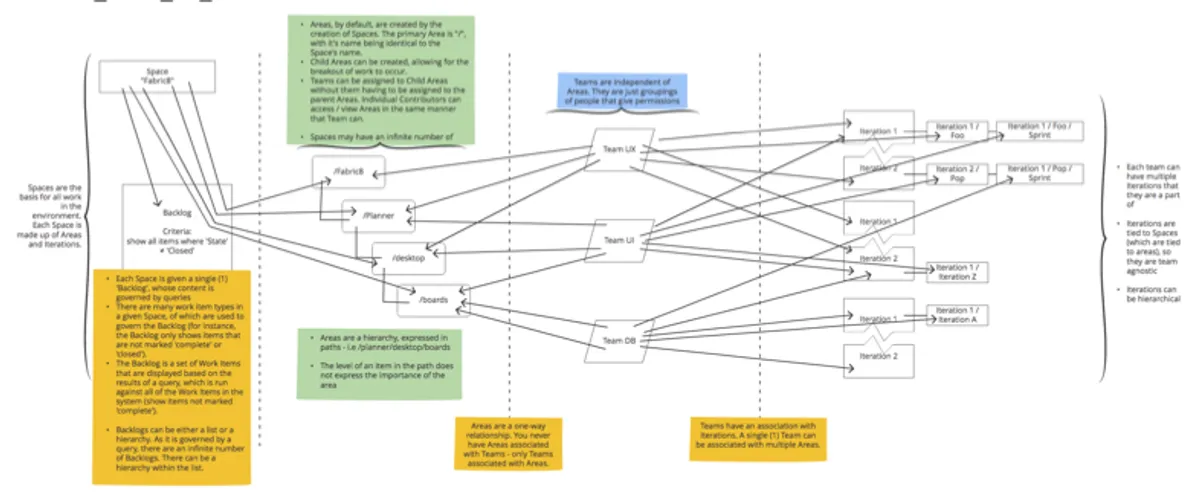
For each section of ALM, workflows and wireframes mapped the possible paths before high fidelity mockups. For the path from work items to development, the goals were:
- Tell users that direct access to developing the work item is one click away
- Keep the implementation unobtrusive and imply navigation
- Place it where it will not be clicked by accident, with room for line lengths and metadata, and imply moving forward
- Order by recommendation and require users to fill in one area before moving on
- As a button, give it a prominent place without taking over from a primary button
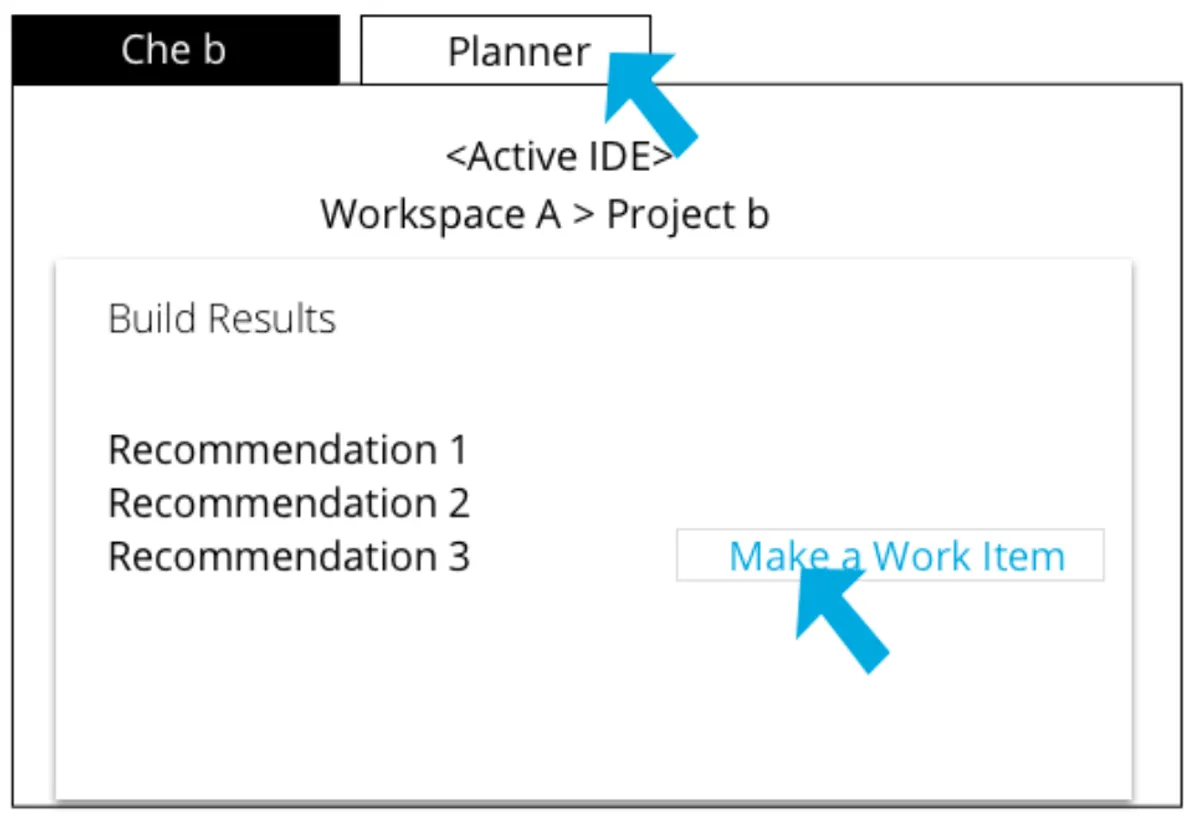
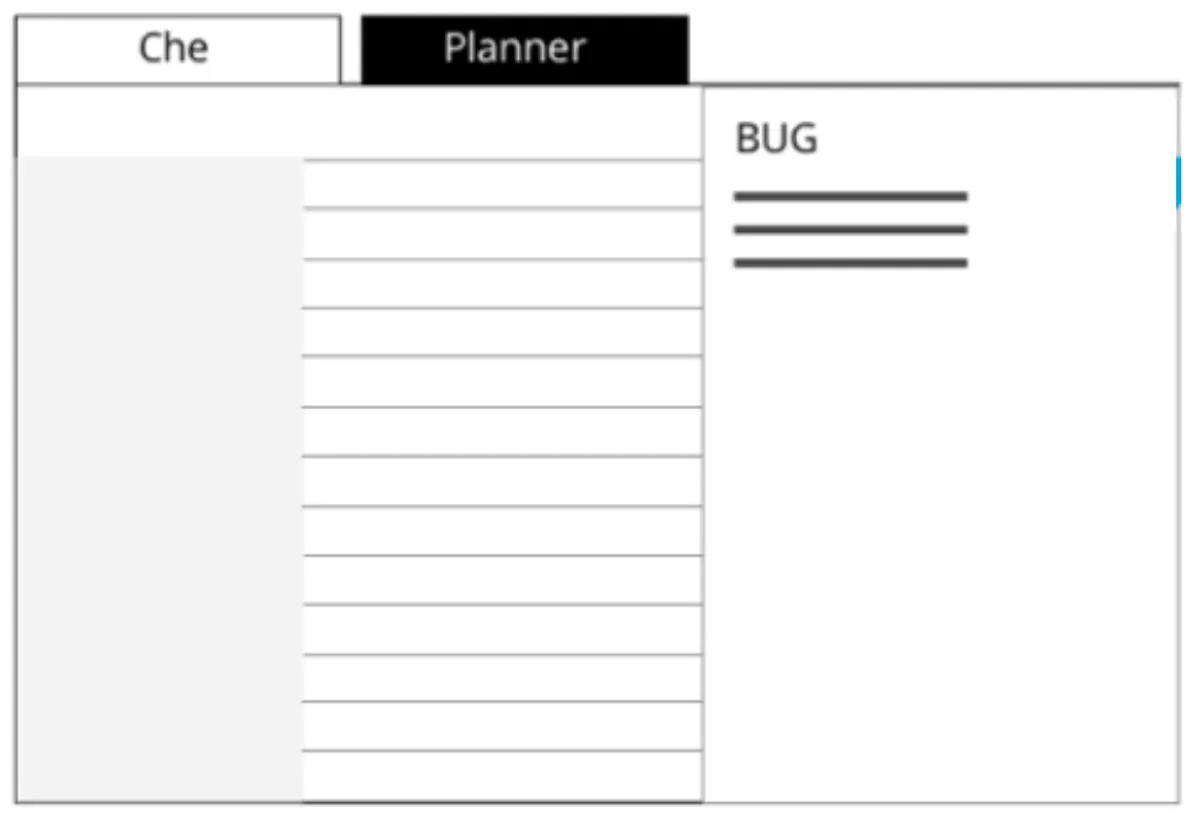
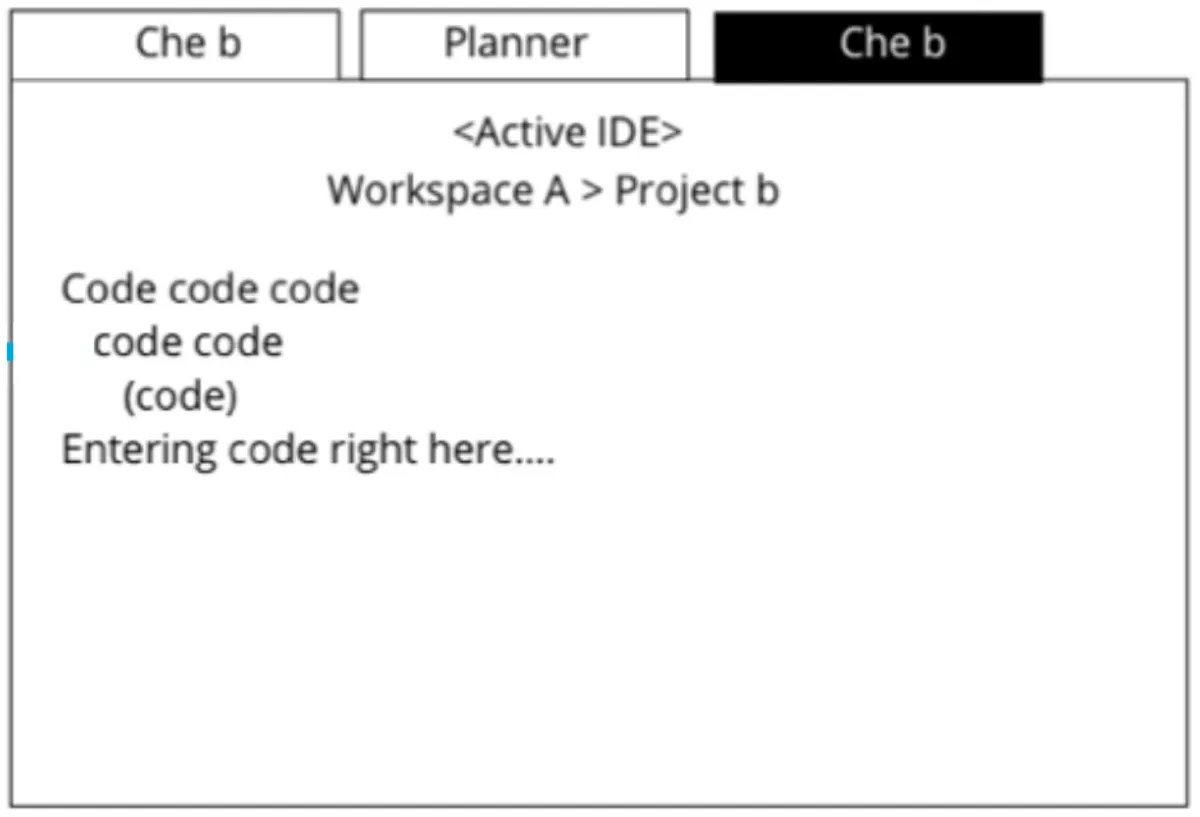
I annotated the wireframe with call-outs so anyone could follow my thinking without talking to me. That worked especially well with colleagues in other time zones.
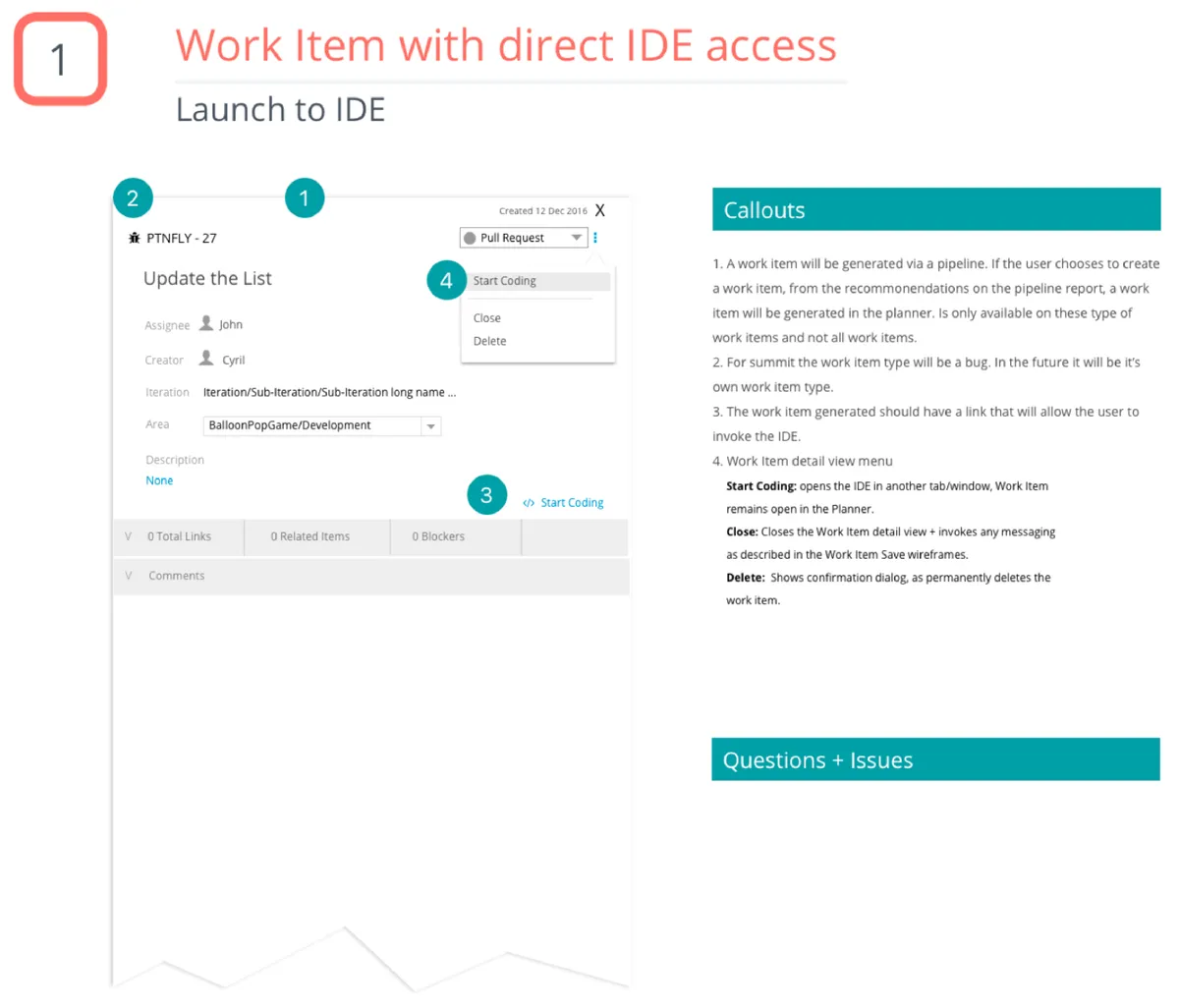
The flows and wireframes raised open questions:
- How do we keep linking between work items accurate?
- If a work item has a file name and line number, is the commit SHA also used to identify the connection?
- Can a user type the URL into a browser and reach the work item, or is it generated each time?
Step 4 · Final design
A unified tracker inside the IDE, built with the in-house component library.
I created a visual design with the in-house component library after the flows and wireframes were complete. The key ideas were:
- Seamless IDE integration with inline work item creation and updates
- Automatic linking between code commits and work items
- Real-time synchronization across team members
- Flexible categorization supporting multiple team workflows
Step 5 · Impact
Launched in 2018, adopted by several teams in six months, and reused across other Red Hat developer tools.
Adoption and launch
Launched as a core feature of OpenShift.io in 2018, integrated with GitHub, and extended to support Agile, Kanban, and custom workflows.
User feedback
Developers praised the IDE integration for removing context-switching. Reported frustration moved from “major pain point” to “barely noticeable”.
Business impact
Better visibility into progress and status, less time on administrative task management, and patterns and PatternFly components adopted across other Red Hat developer tools.
Step 6 · What I learned
Understand the workflow first, make the tool invisible, and treat developer experience as user experience.
Understand the workflow before designing the tool
Weeks observing OpenShift developers surfaced friction I would not have guessed, like the cost of switching tools and protecting flow state.
The best developer tools are invisible
ALM worked because it met developers in their IDE instead of asking them to go elsewhere.
Developer experience is user experience
Rigorous research and design made a tool developers enjoyed using.
PatternFly had gaps
Working on ALM exposed gaps for developer tool use cases and led to new components and patterns for the whole ecosystem.